Web3 · Interaction design
Perpl — mPoints Season Finale
A closing vault and an instant-photo reveal for traders receiving their Season 1 rewards automatically.
- Role
- Head of Design
- Years
- 2026
- Practice
- Product design · Prototyping · Interaction design
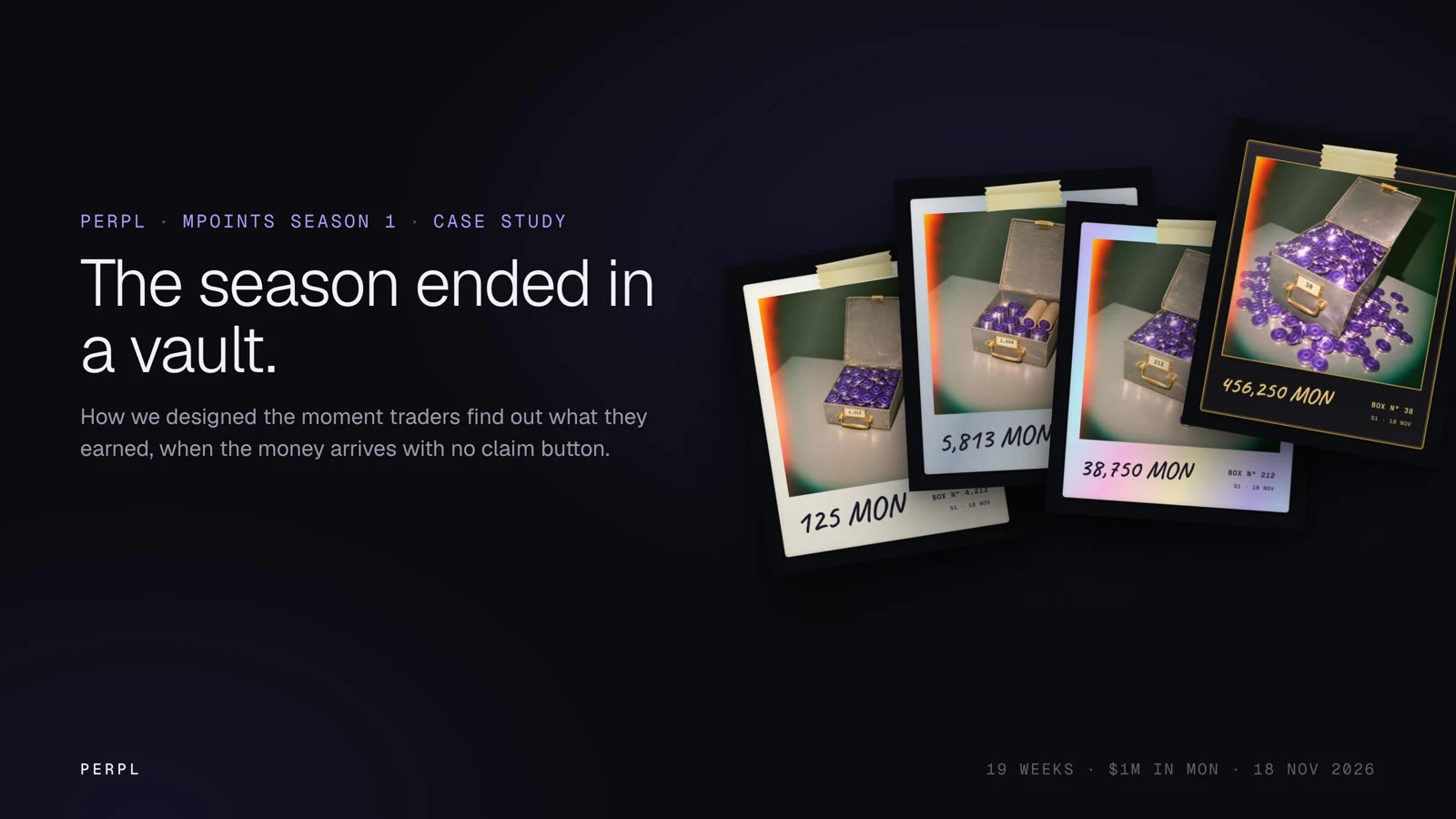
After 19 weeks of trading, Perpl paid out a $1 million rewards pool in MON directly to the wallets that earned it. With no claim button or transaction to sign, the payment could easily go unnoticed. I designed and prototyped a finale around three questions traders would have. What did I earn? How do I get it? Has it arrived? We built it into the app.
The instant-photo reveal, recorded with preview data.
From countdown to receipt
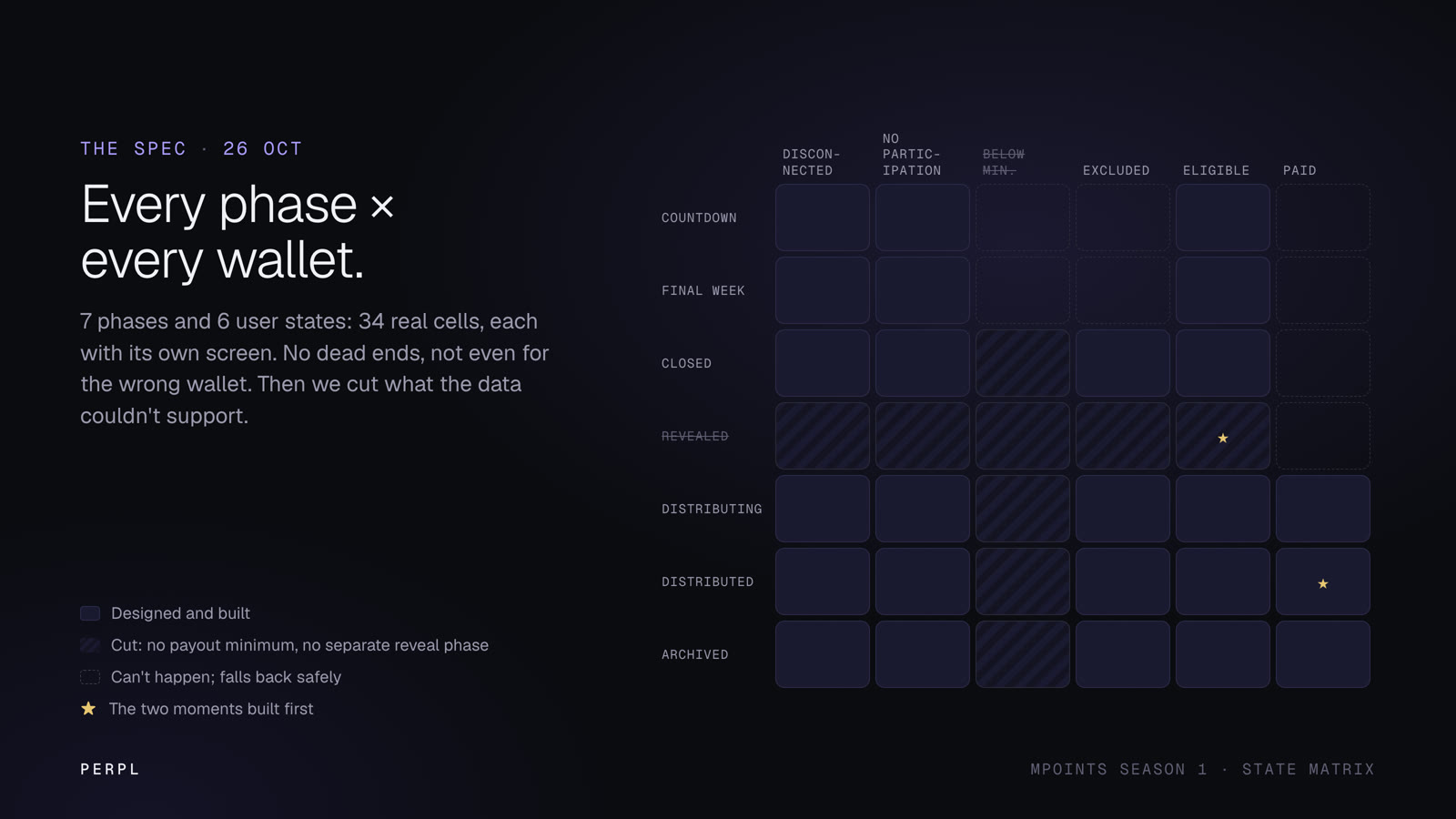
The first spec was a grid of seven season phases and six wallet states. Of the 42 combinations, 34 were possible and each got its own screen. A signed-out trader needed a prompt to connect. Someone who connected a different wallet needed to know which wallet would receive the reward. We built a prototype that let us test every state, including the ones a trader might rarely see.
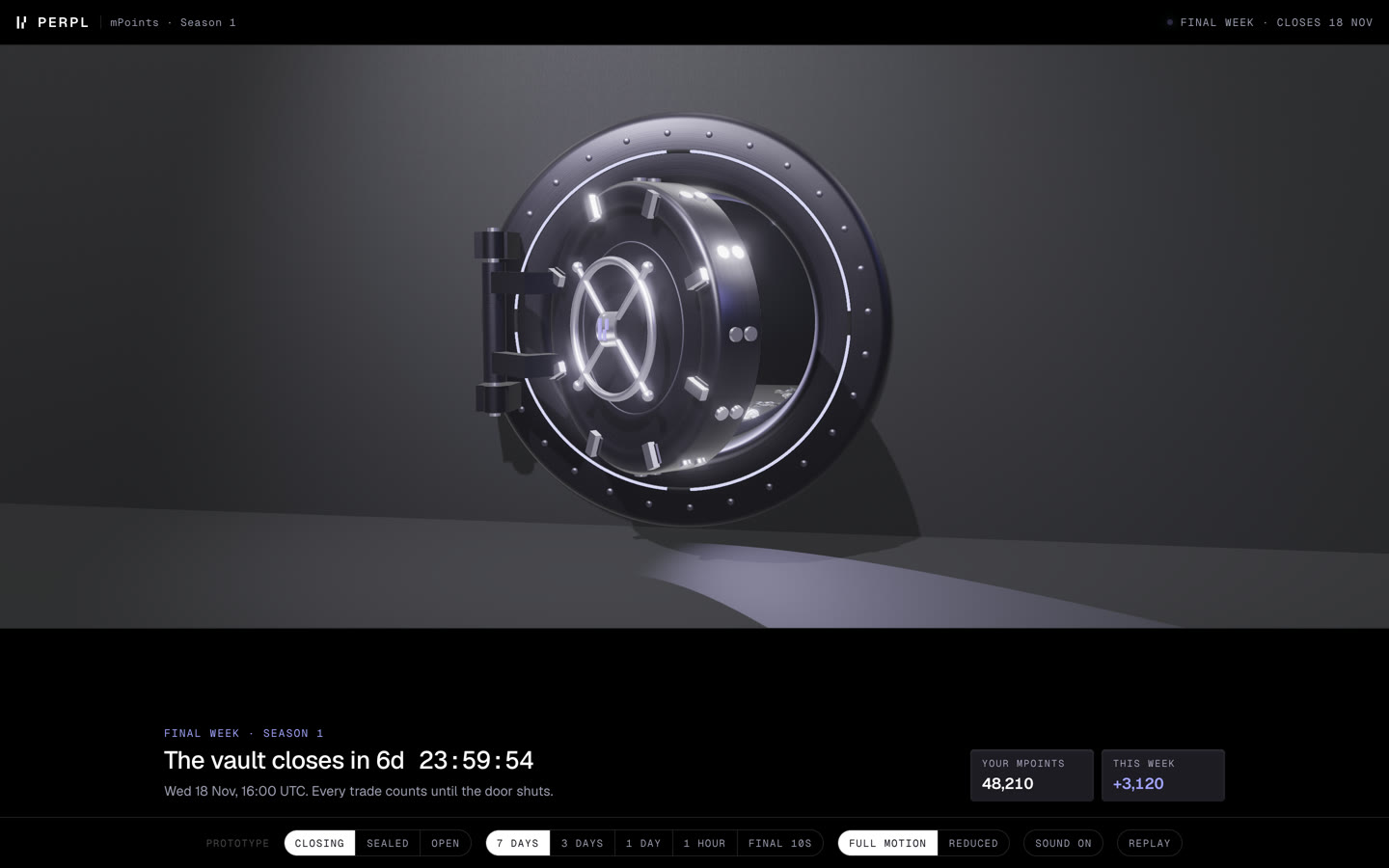
In the final week, the angle of the 3D vault door showed how much time was left to earn points. At 16:00 UTC on 18 November, the door swung shut live in the app. The bolts slid into place and a seal appeared across the door.
The closing animation that played when the Season 1 countdown reached zero.
The trader’s journey
- The countdown starts
- The vault seals
- Payouts land and the vault opens
- Take a snapshot
- Shake or tap to develop
- Keep the Polaroid
- The countdown starts
The vault door closes a little more each day. Traders can still earn points until the deadline.
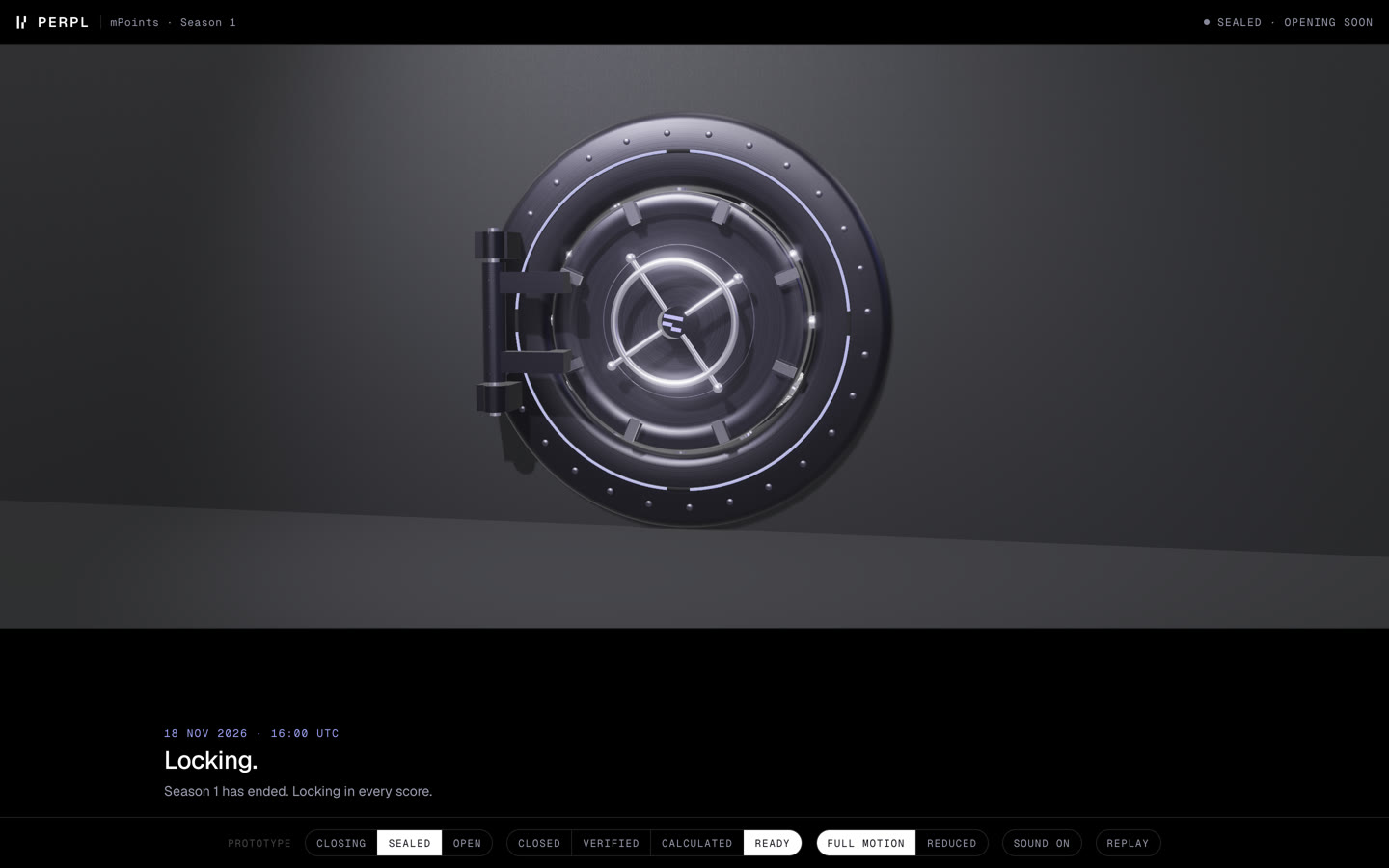
- The vault seals
At 16:00 UTC on 18 November, the door locks. The page shows that scores are being finalised.
- Payouts land and the vault opens
MON goes straight to the wallet that earned it. The page tells the trader it’s dark inside and offers to reveal their snapshot.
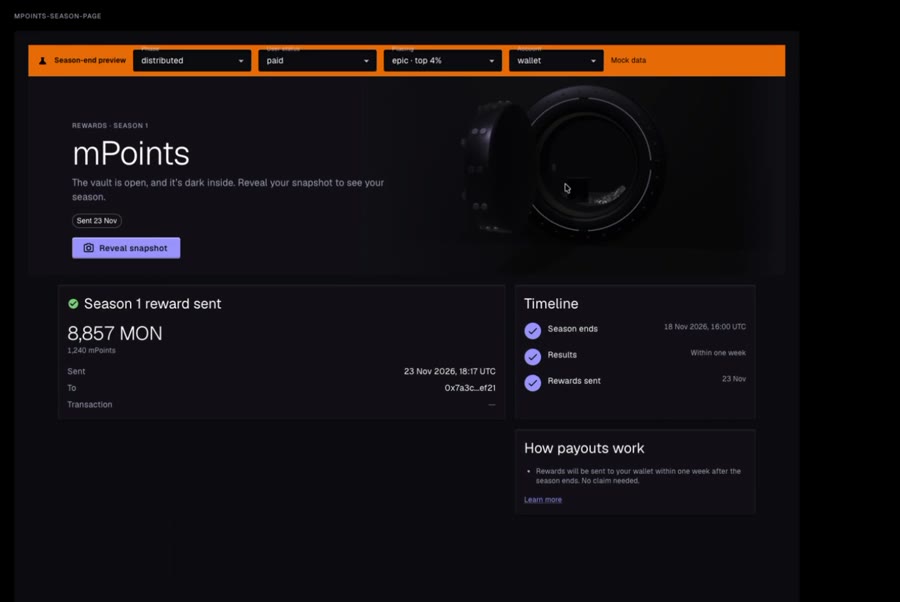
- Take a snapshot
The camera flashes in the dark vault, leaving an undeveloped photo of the trader’s deposit box.
- Shake or tap to develop
The image develops to show the deposit box, the trader’s rank and their reward.
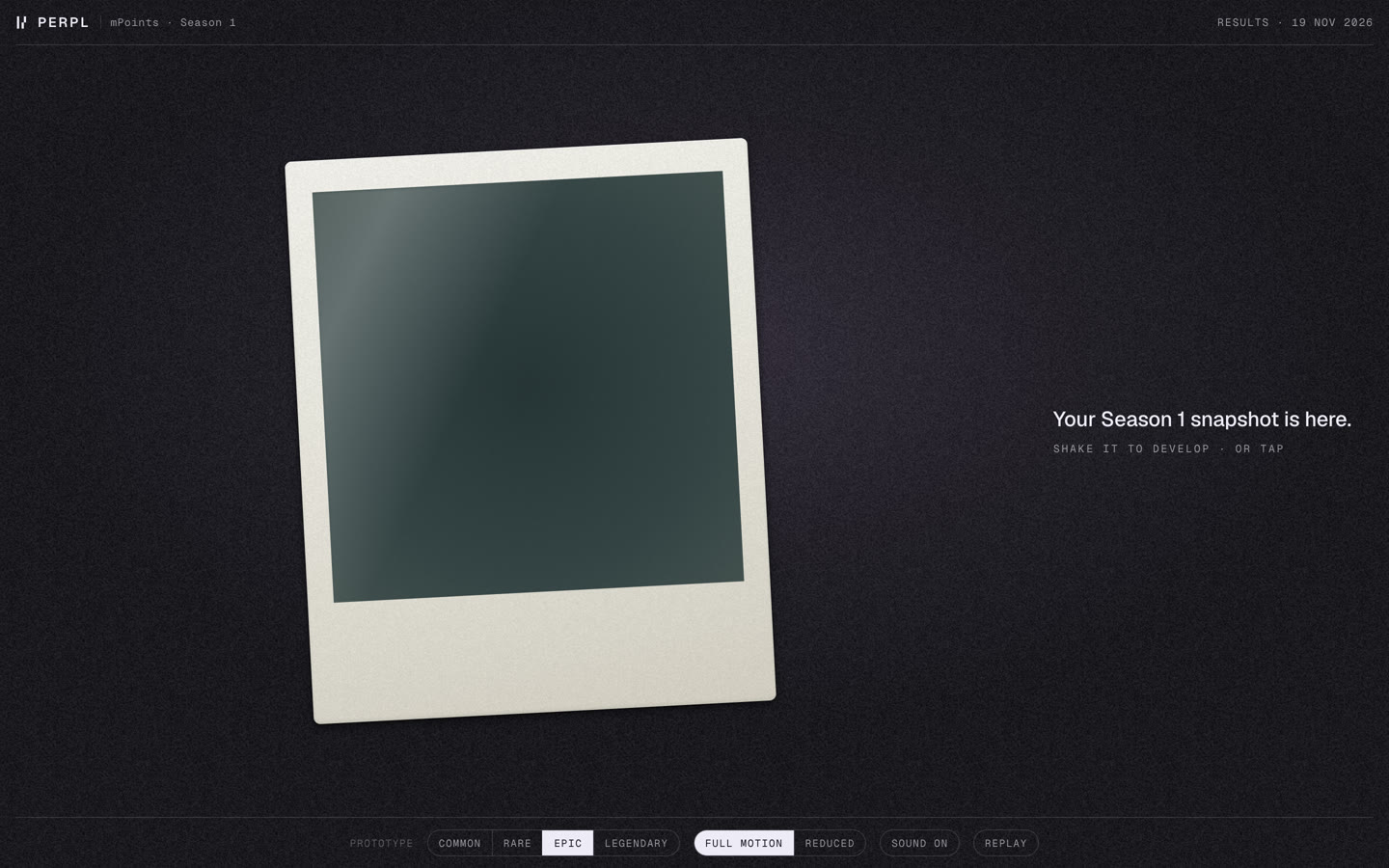
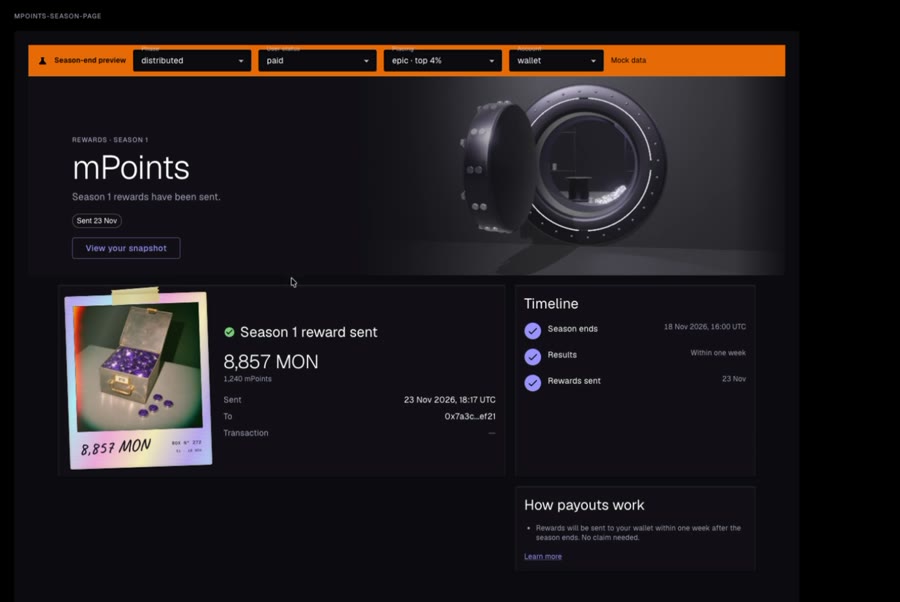
- Keep the Polaroid
Back on the mPoints page, the print stays pinned beside the payout receipt. Traders can reopen it or share it.
Five ways to reveal a reward
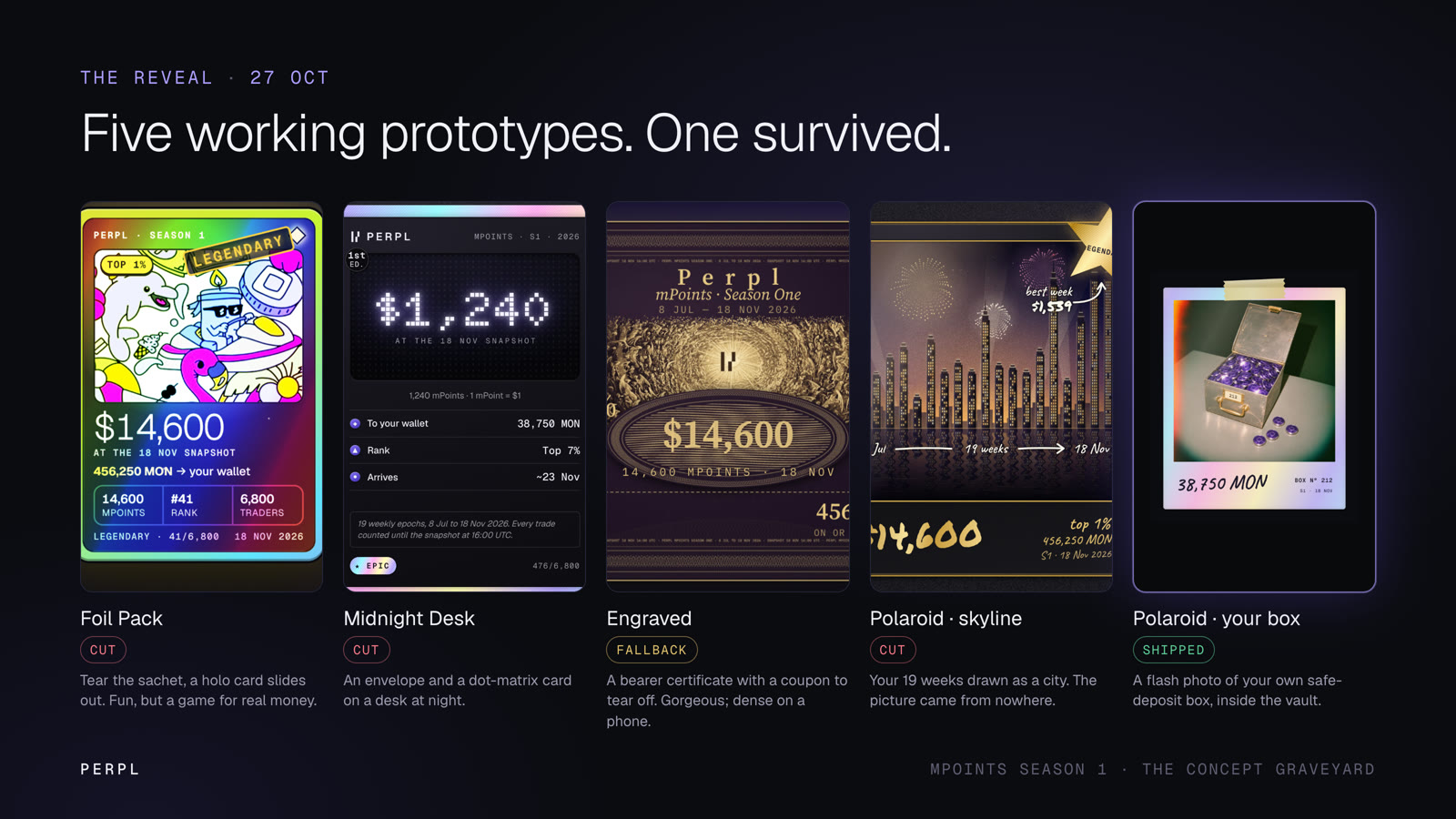
We made five working prototypes. The foil pack felt too much like a game for a real payout, and the engraved certificate was dense on a phone. The instant print gave traders something to do and a keepsake to share. They could shake or tap it to develop the image. It also gave us a visual joke. The season ended with a snapshot, so we gave each trader a snapshot of their own deposit box.
The number on the box showed the trader’s actual rank. Larger payouts got larger boxes, and the frame made the reward tier recognisable at thumbnail size.
The number that mattered after payout
Early prints led with the reward’s dollar value at the season snapshot. Once the price of MON moved, that figure could read as the current value of the payout. We changed the post-snapshot screens to lead with the amount in MON, matching what traders could see in their wallets.